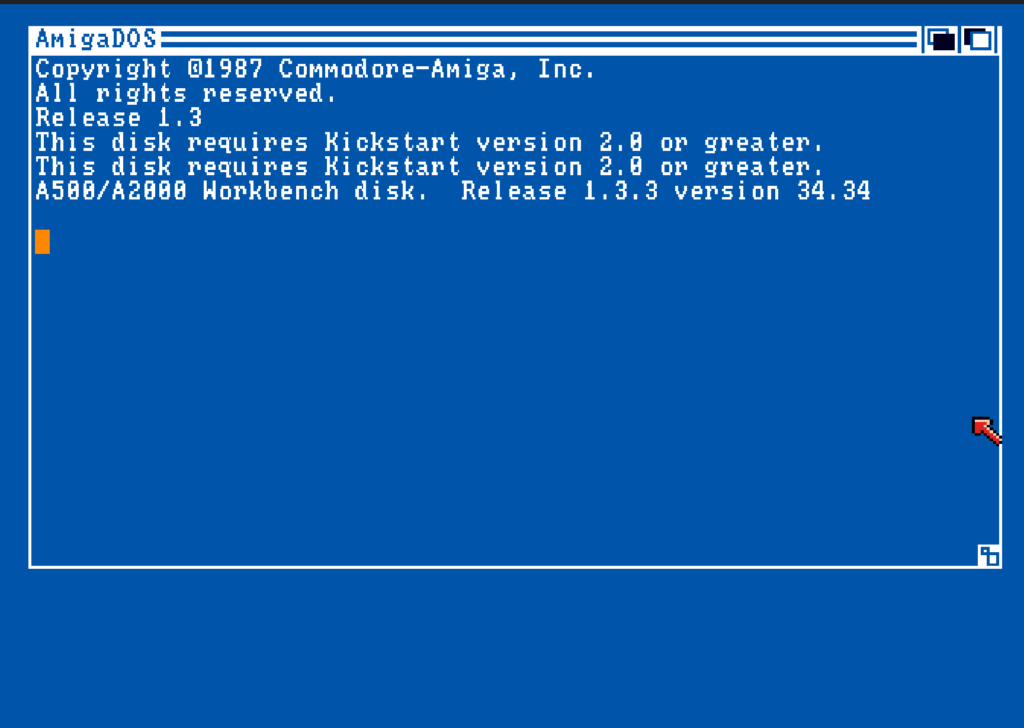
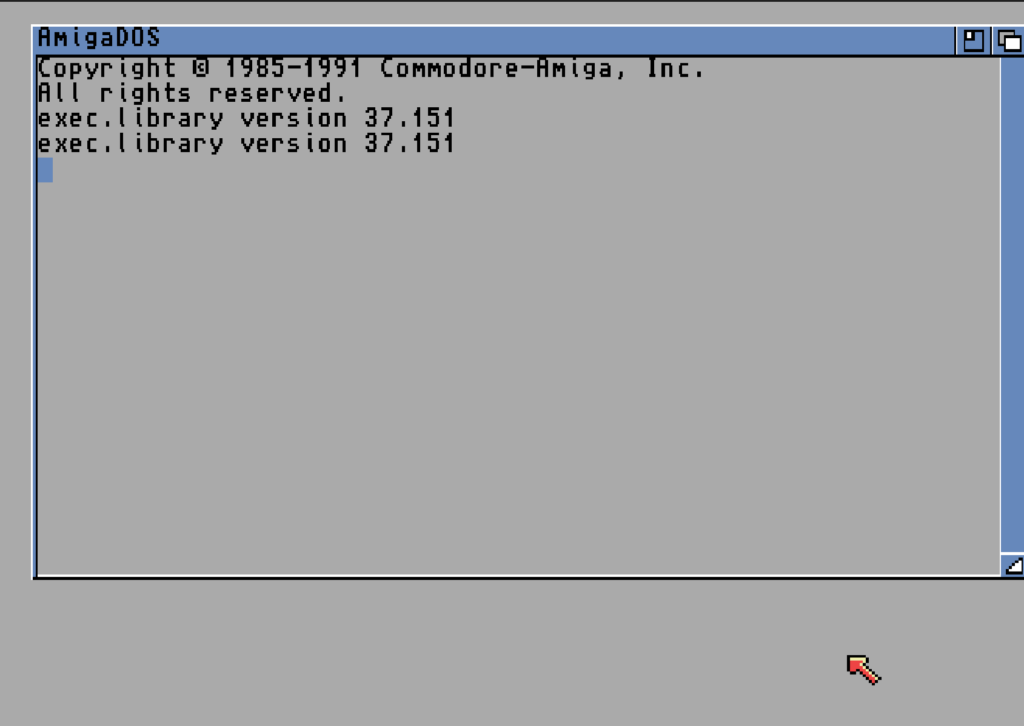
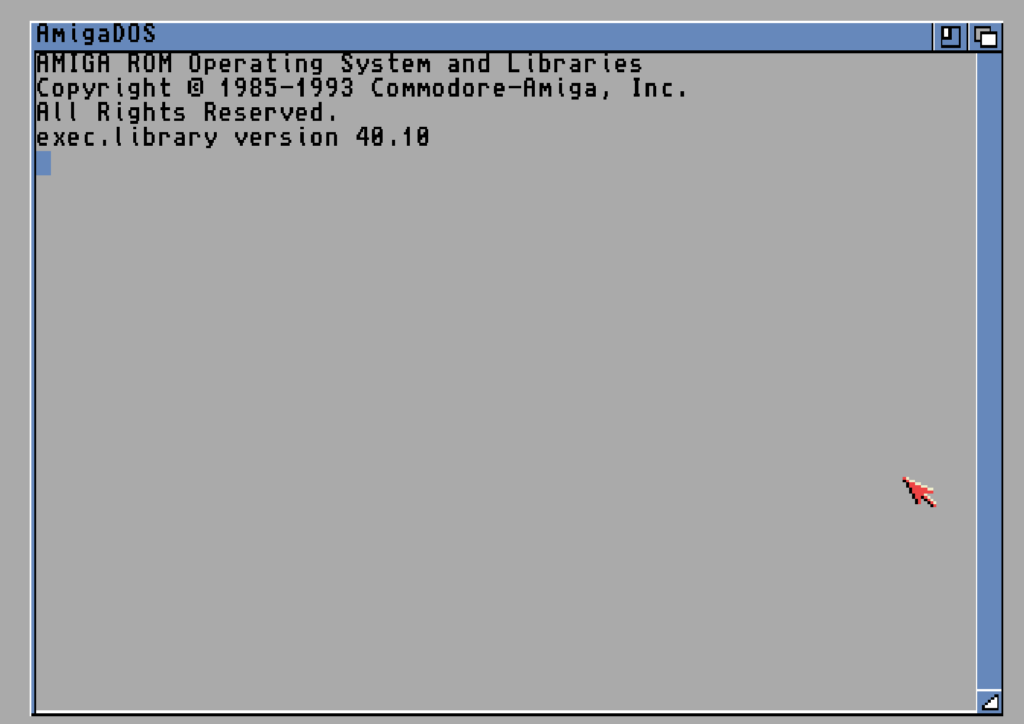
If you have an A500 with a multi-Kickstart switcher and an IDE/CompactFlash setup, you might fancy the idea of booting whichever Workbench matches whichever Kickstart you’ve selected — 1.3, 2.05 or 3.1 — all from a single CF card. It’s a deeply satisfying thing to get working, and it’s entirely possible.
This is a complete write-up of building exactly that: one CF card, three self-contained Workbench installs, and a small boot “dispatcher” that detects the running Kickstart and hands off to the right one. I built and proved the whole thing in WinUAE first, which I’d strongly recommend — it lets you test all three boot paths in minutes by swapping ROM files, instead of endlessly reflashing a switcher — and then deployed it to the real hardware, where it works exactly as designed.
The result up front: it works on real hardware, and 1.3 autoboots the CF directly — no boot floppy needed.
⚠ Recommendation up front — on the Oktagon, use a card of 2GB or less.
Everything below the 2GB byte offset works flawlessly on this controller. Everything above it does not — and after a long investigation the reason turned out to be simple: the Oktagon 2008 itself cannot address past the 2GB boundary. It is a hard limit of the controller, not of the card or the filesystem. No choice of filesystem changes it; to go beyond 2GB you would need a different (or reflashed) controller, which is its own adventure and carries real risk to the hardware.
My honest advice, having gone all the way down that rabbit hole and come back: partition a 2GB (or smaller) card entirely in plain FFS and be done. It boots all three Kickstarts, it is readable everywhere, it uses stock everything, and it will never surprise you. On a retro machine 2GB is enormous. The full post-mortem — including how emulation repeatedly hid the controller’s limit and sent me chasing the wrong culprit for days — is in the companion article.
The hardware context
The target machine: an A500 with 8 MB of Zorro II Fast RAM, an Oktagon-style IDE controller, and a multi-Kickstart switcher carrying 1.3, 2.05 and 3.1 ROMs. A multi-selector is available that has dip switches to select the ROM that can be positioned on the top side of the case. I’ve seen them on eBay inexpensively.
The core architecture: one partition per Workbench
The cleanest design is a separate partition for each Workbench, each one a complete, self-booting install with its own authentic, unmodified Startup-Sequence. This is the partition layout I went with:
- DH0: — tiny boot partition, holds only the dispatcher (~10 MB)
- DH1: — Workbench 1.3 (~20 MB)
- DH2: — Workbench 2.05 (~20 MB)
- DH3: — Workbench 3.1 (~20 MB)
- DH4: — Data (the rest of the 2GB CF)
Every partition must be formatted as plain FFS (DOS\1, DosType 0x444F5301). This is non-negotiable: Kickstart 1.3 only understands OFS and plain FFS. It cannot read DOS\2, DOS\3 (FFS International), or the directory-cache variants. Format anything 1.3 must touch as DOS\1 or it simply won’t mount — and the failure mode is confusing, because partitioning tools will happily set you up DOS\3 partitions that 1.3 then refuses to recognize.
HDToolBox defaults a newly-added partition to Fast File System International (DOS\3). You must update the partition type to regular Fast File System (DOS\1). Add the Fast File System (version 36) from the Workbench 1.3 disk to the RDB so that Kickstart 1.3 can read the FFS partitions. This is done by selecting the partition going to ‘Advanced’ mode, and Add/Update Filesystem. You only have to ADD the filesystem once to the RDB, but for all partitions you DO have to select it (DOS/1) before you finish with HDToolBox.
Why per-partition rather than subdirectories
Keeping each Workbench on its own partition means each one keeps its genuine, period-correct Startup-Sequence untouched. The dispatcher doesn’t rewrite anything; it just points the system at the right partition and runs that partition’s own boot. It’s clean, authentic, and far easier to reason about than a single partition with version-switching logic baked into one Startup-Sequence.
Preparing the card: do it under 2.0 or 3.1, never 1.3 — and use HDToolBox
The single most important workflow realisation: partition and format the card under Kickstart 2.0 or 3.1, not 1.3. The 1.3-era tools and device drivers are genuinely poor at writing the Rigid Disk Block (RDB) to modern media. Symptoms of trying to prep under 1.3 include partitions that evaporate on reboot, Guru meditations, and write errors.
Define your partitions, set them all to DOS\1 FFS (editing the DosType as above), enable automount, set DH0: bootable, full-format (not quick) the first time, wait a few seconds before resetting (FFS delayed-write corruption is real), and confirm the RDB persists across a power-cycle before going further.
Do the RDB work offline, on an image
The two times I wiped the RDB, it was while embedding a filesystem into the RDB of a mounted, in-use drive — the tool could not get exclusive access, and left the RDB half-written. The lesson: image the card to a file, do the partitioning and filesystem-embedding on the image in WinUAE where nothing is mounting it, verify it boots, and only then write it back to the card. And whatever you do, write down your partition map — start cylinder, end cylinder, size and DosType for every partition. A wiped RDB is recoverable by re-describing the same partitions at their exact boundaries (re-describe, do not reformat), but only if you have those numbers written down.
The 2GB barrier — and what it really is on the Oktagon
This one deserves its own section because it’s counter-intuitive, it’s poorly documented, and it is the whole reason for the recommendation at the top of this article. There are actually two separate 2GB limits in play, and untangling them cost me days.
The filesystem limit. The classic Amiga FastFileSystem — including the 1.3-era version you must embed for 1.3 compatibility — cannot address blocks beyond the 2 GB offset on the device. Not 2 GB per partition: 2 GB measured as an absolute byte offset from the start of the card. Any FFS partition whose blocks fall above that line fails to format immediately, on the very first cylinder, because the first address it tries to touch cannot be expressed. This one is well known, and the usual answer is to use a filesystem without the limit (PFS3) for the upper region.
The controller limit — the one that actually stopped me. On the Oktagon, replacing the filesystem does not help, because the Oktagon 2008 controller itself cannot address past the 2GB boundary. It does not matter what filesystem you point at the upper region; the controller cannot read or write those blocks. This is a hardware limit of the card, full stop.
Work out where your own 2 GB line falls: it’s 2,147,483,648 ÷ 512 ÷ (heads × blocks-per-track) cylinders. On the Oktagon, keep everything below it. To use a larger card fully you would need a controller that supports large drives — which means new hardware or reflashing the one you have, and the latter is genuinely risky (a bad flash can leave the machine unbootable). For a machine you want to use, a 2GB card sidesteps all of it.
The dispatcher
DH0: holds nothing but a dispatcher Startup-Sequence. It detects the Kickstart version, sets the system assigns to point at the matching partition, and executes that partition’s real Startup-Sequence. The detection uses the Version command’s numeric comparison: Version exec.library 40 sets the WARN flag if the running exec is below v40, and so on.
FailAt 21

Version exec.library 40
If NOT WARN
   ; --- Kickstart 3.1 (exec >= v40) ---
   Assign >NIL: SYS:    DH3:
   Assign >NIL: C:      SYS:C
   Assign >NIL: LIBS:   SYS:Libs
   Assign >NIL: DEVS:   SYS:Devs
   Assign >NIL: L:      SYS:L
   Assign >NIL: FONTS:  SYS:Fonts
   Assign >NIL: S:      SYS:S
   Assign >NIL: ENVARC: SYS:Prefs/Env-Archive
   Path >NIL: SYS:C ADD
   Execute SYS:S/Startup-Sequence
   SKIP end
EndIf

Version exec.library 37
If NOT WARN
   ; --- Kickstart 2.0x (exec v37-39) ---
   Assign >NIL: SYS:    DH2:
   Assign >NIL: C:      SYS:C
   Assign >NIL: LIBS:   SYS:Libs
   Assign >NIL: DEVS:   SYS:Devs
   Assign >NIL: L:      SYS:L
   Assign >NIL: FONTS:  SYS:Fonts
   Assign >NIL: S:      SYS:S
   Assign >NIL: ENVARC: SYS:Prefs/Env-Archive
   Path >NIL: SYS:C ADD
   Execute SYS:S/Startup-Sequence
   SKIP end
EndIf

; --- Kickstart 1.3 (everything below v37) ---
Assign SYS:   DH1:
Assign C:     SYS:c
Assign LIBS:  SYS:libs
Assign DEVS:  SYS:devs
Assign L:     SYS:l
Assign FONTS: SYS:fonts
Assign S:     SYS:s
Path SYS:c ADD
Execute SYS:s/Startup-Sequence

LAB end
Tested high-to-low, the first matching version wins, and deriving every assign from SYS: (as the ROM itself does on a normal boot) means the assigns automatically track whatever partition SYS: points at.
The gotchas — this is the part nobody tells you
Getting the dispatcher to actually work across all three ROMs took a sequence of fixes, each one a subtle AmigaDOS behaviour. These are the real value of this write-up.
1. The DH0:C commands must be the right versions
The dispatcher runs from DH0:, so DH0:C needs copies of every command it uses: Version, If, EndIf, Skip, Lab, Assign, Path, Execute, FailAt, Echo. The reason this is fiddly is that several of these are internal to the 2.0+ Shell but are external c/ commands under 1.3. They run fine on 2.0/3.1 even if absent from disk — but under 1.3 they must physically exist in DH0:C or you get “Unknown command FailAt” and the boot dies. FailAt in particular caught me out: it works invisibly on 2.0/3.1 and only reveals itself missing when 1.3 tries to boot.
2. Version comparison is a 2.0+ feature — but the 1.3 binary still matters
The numeric comparison form Version exec.library 40 only works with the 2.0+ Version command. So DH0:C should hold the 2.05 Version binary — it does the comparison and also loads under 3.1. Under 1.3 it can’t do the comparison (and prints a harmless “This disk requires Kickstart 2.0 or higher” message), but FailAt 21 stops that from aborting the script, and both comparisons simply fall through to the 1.3 branch. Those messages flashing past during the 1.3 boot are expected and cosmetic.
3. Never redirect Version’s output with >NIL:
This one cost real time. Writing Version >NIL: exec.library 40 fails with “object is not of required type” (returncode 10) in script context — even though the exact same line works when typed interactively. The redirect is the trigger. Drop it: Version exec.library 40. The only cost is one line of version info printed during boot. Note the contrast — the Assign and Path lines redirect with >NIL: perfectly happily; it’s specifically Version that objects.
4. The dispatcher must set the FULL assign set, including ENVARC:
On a normal boot the ROM establishes SYS:, C:, LIBS:, DEVS:, L:, FONTS:, S: and ENVARC: before the partition’s Startup-Sequence runs. A handoff dispatcher bypasses that ROM setup, so it must set them itself. Miss them and you get errors like “no diskfont library” (IPrefs can’t find LIBS:) and “cannot open devs:mountlist” (BindDrivers can’t find DEVS:) — even though the files are all present on the partition. The files aren’t missing; the assigns are. ENVARC: is the easily-forgotten one: both the 2.0 and 3.1 Startup-Sequences copy from it very early (Copy ENVARC: RAM:ENV), and without it IPrefs never initialises.
5. Copy the root-level drawer icons, not just Disk.info
A recursive Copy SYS:System DH2:System ALL CLONE copies everything inside the System drawer, including its internal .info files — but the drawer’s own icon (System.info) lives in the disk root, as a sibling of the drawer. If you only copy Disk.info, your partitions end up with drawers that have no icons. Fix: copy all root-level .info files with a wildcard, e.g. Copy Workbench2.0:#?.info DH2: CLONE. (And note ALL CLONE — ALL makes Copy recursive, CLONE preserves datestamps, protection bits and file comments. Easy to forget and worth remembering.)
The big one: Kickstart 1.3 and the hard drive
1.3’s ROM has no FastFileSystem for hard drives. It has OFS built in, but to read an FFS hard partition it needs the FastFileSystem handler loaded — and on a hard drive that means the filesystem must be embedded in the card’s RDB (or mounted via a Mountlist). Without it, 1.3 reports “Not a DOS disk in unit 0” when it hits your FFS partitions, because it literally cannot read FFS.
There are two ways to give 1.3 what it needs, and the beauty is they both end up at the same DH1: partition:
Path A: embed FastFileSystem in the RDB
Using HDToolBox under 2.0/3.1, add the 1.3-compatible FastFileSystem to the drive’s RDB filesystem list, flagged for DOS\1 (remembering to edit the DosType to 0x444F5301 in the add dialog). Then the partitions automount under 1.3 just as they do under 2.0/3.1, and the dispatcher works identically across all three ROMs.
On the real hardware, this works. With the 1.3 FastFileSystem embedded in the RDB, the patched IDE-aware 1.3 ROM autoboots the CF directly — it does perform boot-time RDB scanning, mounts the FFS partition, runs the dispatcher, and comes up in Workbench 1.3 with no floppy involved. This was the single biggest open question of the project (a plain 1.3 ROM definitely wouldn’t do this), and on this particular Oktagon + patched-1.3 combination the answer is a clean yes.
Path B: a 1.3 boot floppy (the fallback you may not need)
If your particular ROM/controller combination does not autoboot under 1.3, this is the bulletproof fallback. A bootable 1.3 floppy carries the FastFileSystem and a Mountlist describing DH1:, mounts it, and hands off to its Workbench. Because booting a floppy doesn’t depend on hard-drive autoboot at all, it works everywhere regardless of what the ROM does. The floppy’s Startup-Sequence is essentially the dispatcher’s 1.3 branch with a Mount DH1: in front of it. Meanwhile 2.0 and 3.1 still autoboot the CF normally via the FFS RDB.
The Mountlist needs the partition geometry, which you read straight from HDToolBox. Note the field-name translation that trips people up: the tool’s “Heads” is the Mountlist’s Surfaces; Start Cyl / End Cyl are LowCyl / HighCyl; the DosType must be DOS\1 (0x444F5301) and FileSystem must point at L:FastFileSystem.
Recommended strategy for the 1.3 boot
Treat Path A as primary and Path B as the safety net. Embed the 1.3 FastFileSystem in the RDB and try booting 1.3 directly from the CF — on my Oktagon + patched-1.3 setup this autobooted with no further effort. If your combination doesn’t autoboot — which is a property of the ROM and controller, not a fault in anything you built — fall back to the boot floppy. Both reach the identical DH1: install, so you’re never committing to one path in advance, and the floppy is a five-minute build from the running 2.05/3.1 system.
The install workflow
The scripts for all of this — skeletons, per-disk copy steps, the dispatcher and the 1.3 boot floppy builder — are on GitHub at github.com/dooferorg/amiga-multiwb; clone the repo or grab the release zip.
Once the card is partitioned and formatted DOS\1, install each Workbench by copying from curated, clean disk images. A word on that: audit your ADFs first (ADF Workshop is excellent for this). A clean image shows OK across every entry with no lost files, no zero-filled blocks, and no damaged-sector notes. Damaged Workbench images will copy missing or corrupt files and you’ll chase phantom problems later. The order that worked well:
- Embed the FastFileSystem handler in the RDB first (DOS\1), on the card image, offline. Then partition as DOS\1 FFS, set DH0: bootable.
- Install 3.1 to DH3: (Workbench, Extras, Fonts, Locale, Storage).
- Install 2.05 to DH2: (Workbench, Extras, Fonts).
- Install 1.3 to DH1: (Workbench, Extras).
- Build DH0: last — it copies the 1.3-era command binaries (including the 2.05 Version and 1.3 FailAt) into DH0:C and installs the dispatcher as DH0:S/Startup-Sequence.
- Confirm DH0: bootable with top priority; reboot and test each ROM.
DH0: is built last deliberately, because it sources its command binaries from the already-installed partitions.
Test in emulation first — but know its limits
WinUAE makes this enormously easier. One note that catches people: WinUAE has no host-side partitioner — partitioning always happens with an Amiga tool inside the emulation. To make a blank .hdf partitionable rather than auto-mounted as a single DH0:, add it as a Hard Drive (not Directory). The device name inside emulation is uaehf.device rather than the real oktagon.device — your install scripts won’t care (they copy by volume name) but the RDB and any Mountlist will, so keep that one value parameterised between your practice drive and the real card.
The crucial limit, and the one that cost me the most time: WinUAE’s uaehf.device has none of the Oktagon’s restrictions — in particular it happily reads and writes above 2GB. So the emulator will cheerfully mount and use a partition in the upper half of a 4GB card and report complete success, while the real controller cannot touch those blocks at all. Every “fix” I tried for the >2GB problem worked perfectly in emulation and then failed on hardware, precisely because the emulator does not share the controller’s limit. Anything controller-specific — and the 2GB ceiling is exactly that — must be proven on the real controller, not in WinUAE.
Also match the emulated machine to your real one — same CPU, same chipset, same Kickstart ROM revision. A 68020 config running an AGA-only 3.1 ROM will happily run software a real 68000 A500 cannot. Kickstart 3.1 ships as 40.63 for the A500/A600 (68000) and 40.68 for AGA machines (68020+); dump the ROMs from your own machine if you can.
The result
Flip the switcher to 1.3 and the machine boots Workbench 1.3 from the CF. Flip to 2.05, it boots 2.05. Flip to 3.1, it boots 3.1. One card, three eras of AmigaOS, each in its own authentic environment, chosen entirely by which Kickstart you’ve selected — and on real hardware, all three autoboot from the CF with no floppy needed.
My final setup uses a 2GB card, all plain FFS, no PFS3 — the simple, robust configuration that boots every time and that I am not afraid to turn on. The Oktagon’s 2GB ceiling is a hardware fact rather than something to fight, and 2GB is far more than this machine needs. If you’re curious how much time you can lose learning that the hard way — including the several false “fixes” that emulation cheerfully validated — the companion article has the whole story.
